Uplift
An SEO loop that measures every week, proposes improvements, tests them and remembers what works
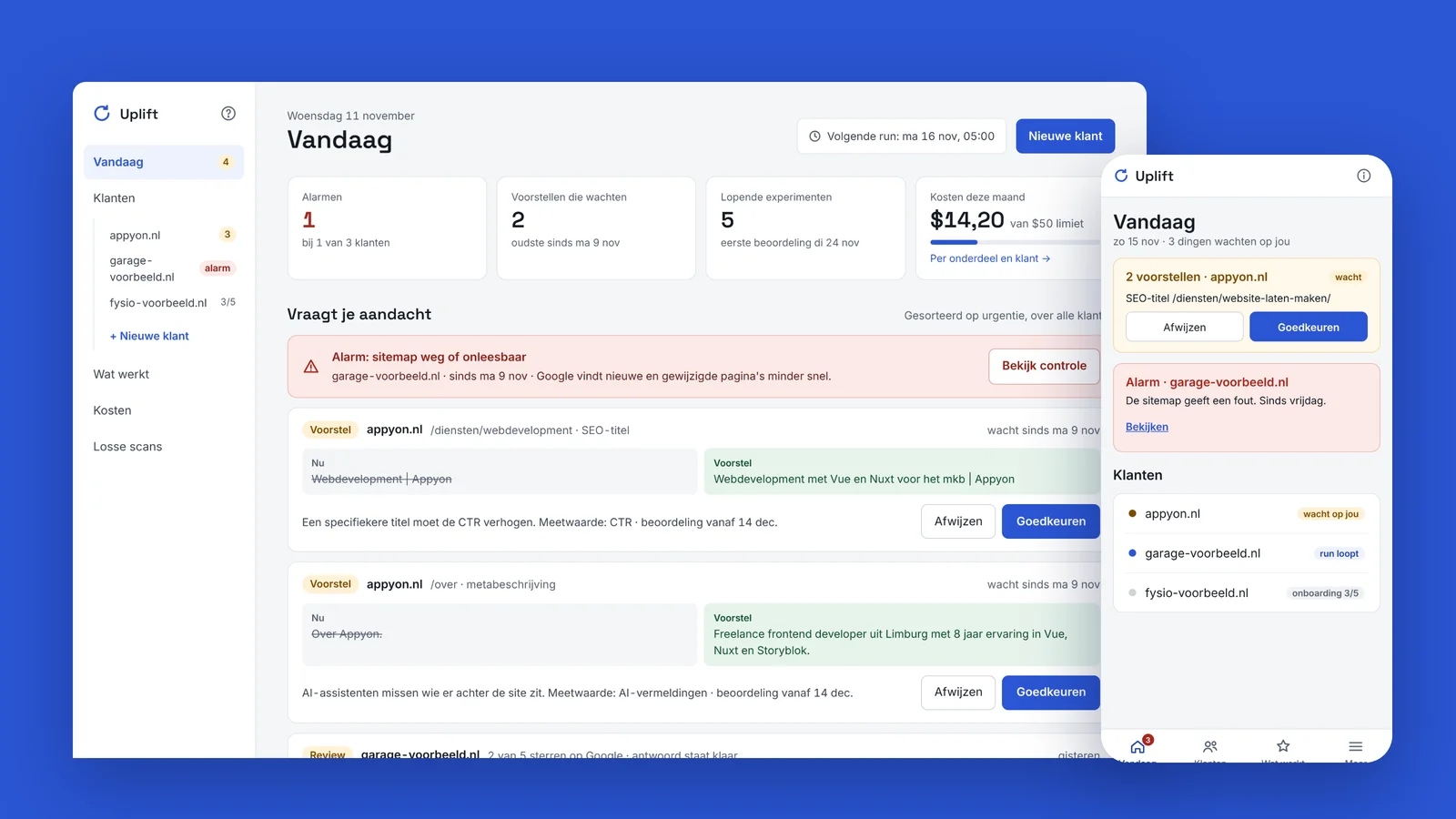
Uplift is Appyon's own SEO product. Anyone who has their website optimised usually gets a one-off report or a few hours of work a month, without anyone tracking whether a change actually paid off. Uplift is built around exactly that question. Every week it measures how a site is found in Google and in AI assistants such as ChatGPT, lets Claude propose concrete improvements, puts them live as experiments once approved and checks a month later whether the effect is bigger than chance. What works stays, what doesn't is rolled back.
- Measuredevery Monday, automatically
- AI sources measured4 assistants + Google AI overview
- Verdictafter 31 days, against a control group
- Automated tests869
The brief
- Measuring and improving in one continuous loop, not as a one-off audit.
- Every change is an experiment with a fixed metric, such as clicks, CTR or AI mentions, judged against pages that did not change.
- Measure visibility in AI assistants as seriously as in Google, with an honest range instead of a single percentage.
- Nothing goes live without Appyon's approval, and never text that invents what the business has not confirmed itself.
- Keep the cost of AI and data per client under control, with a monthly limit.
How it works
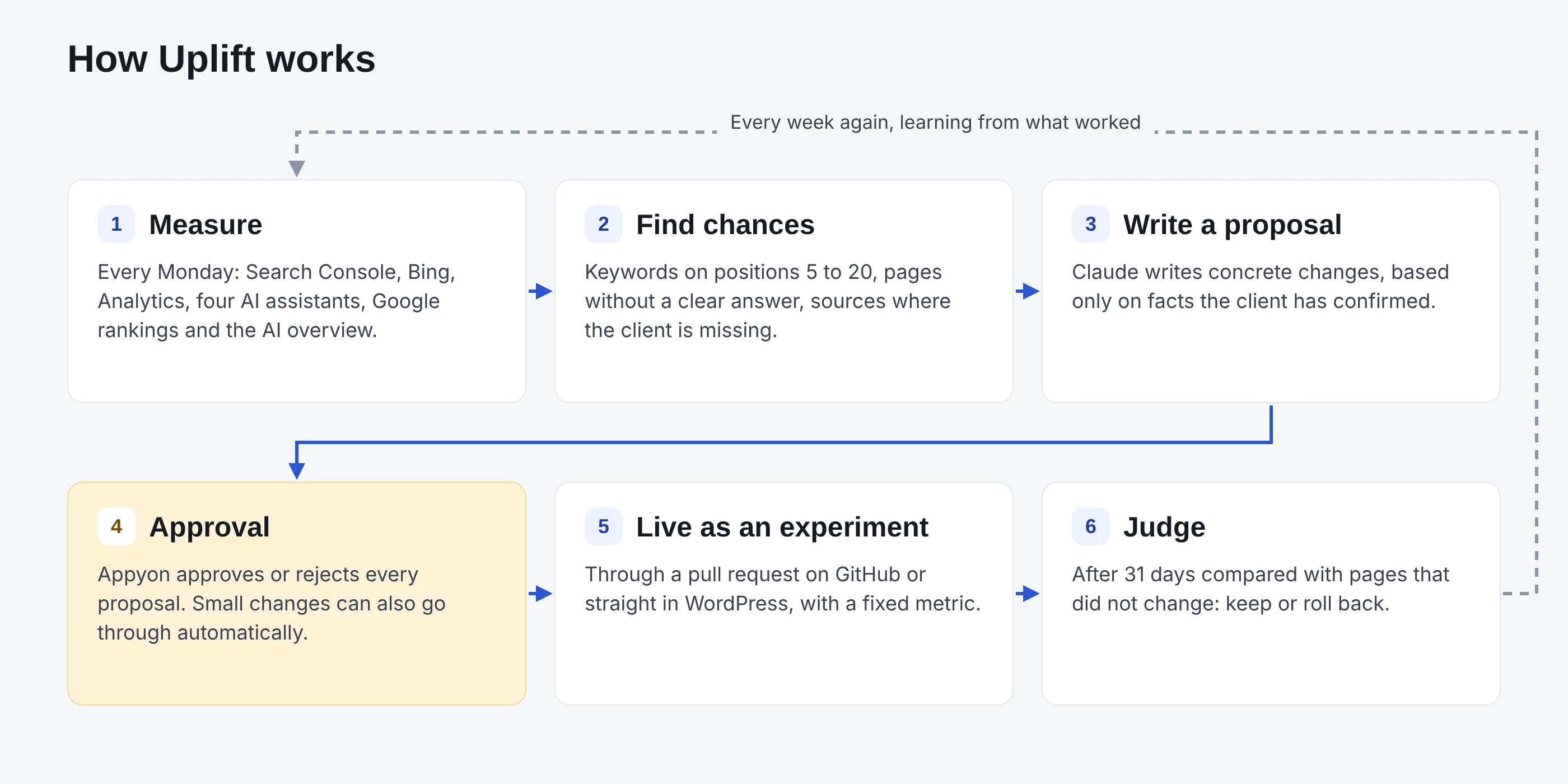
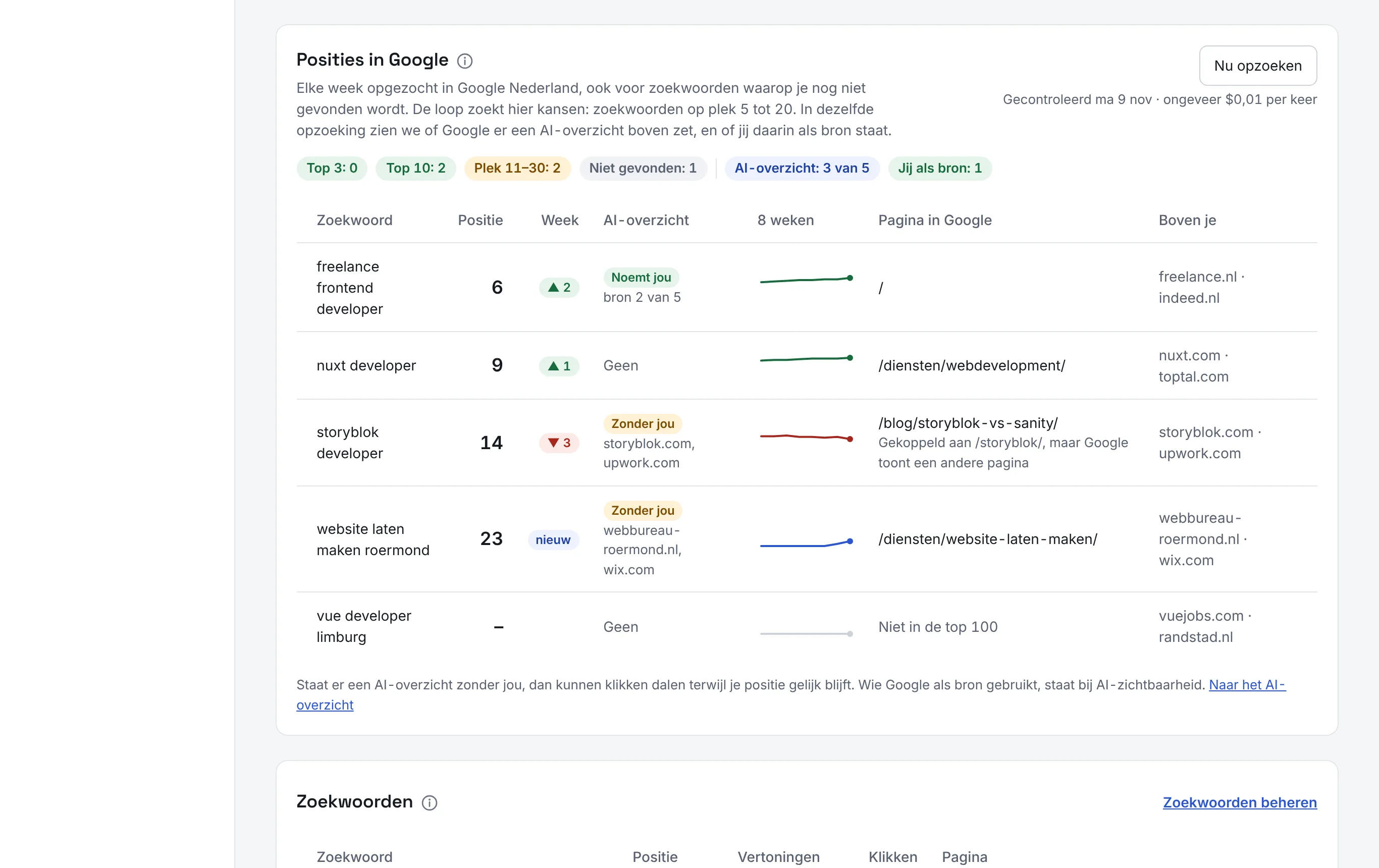
Every Monday at 05:00 a run starts for each client. Uplift collects the numbers from Search Console, Bing, Google Analytics and the Google Business Profile, asks customers' questions to Claude, ChatGPT, Gemini and Perplexity, and looks up Google rankings and the AI overview through DataForSEO.
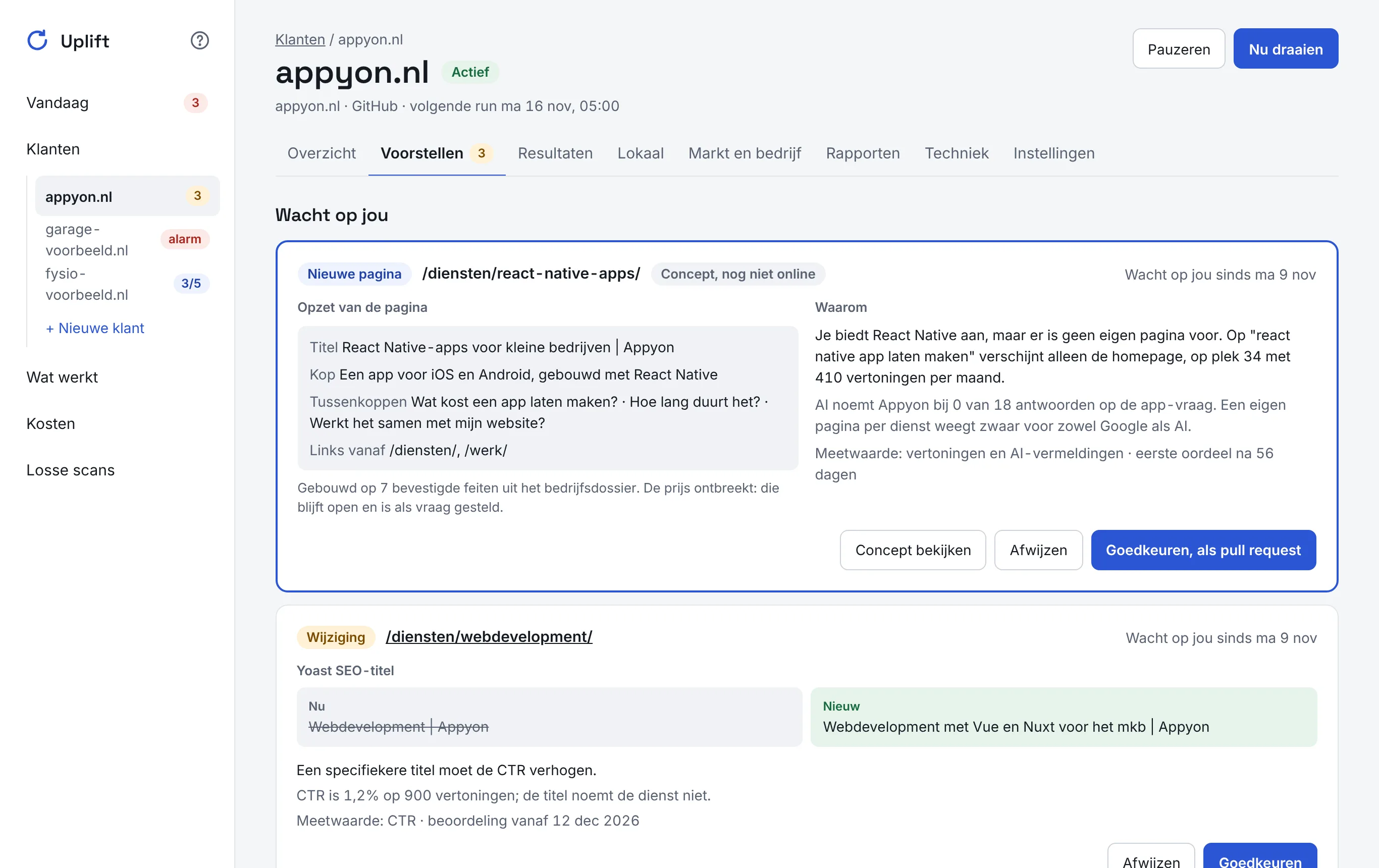
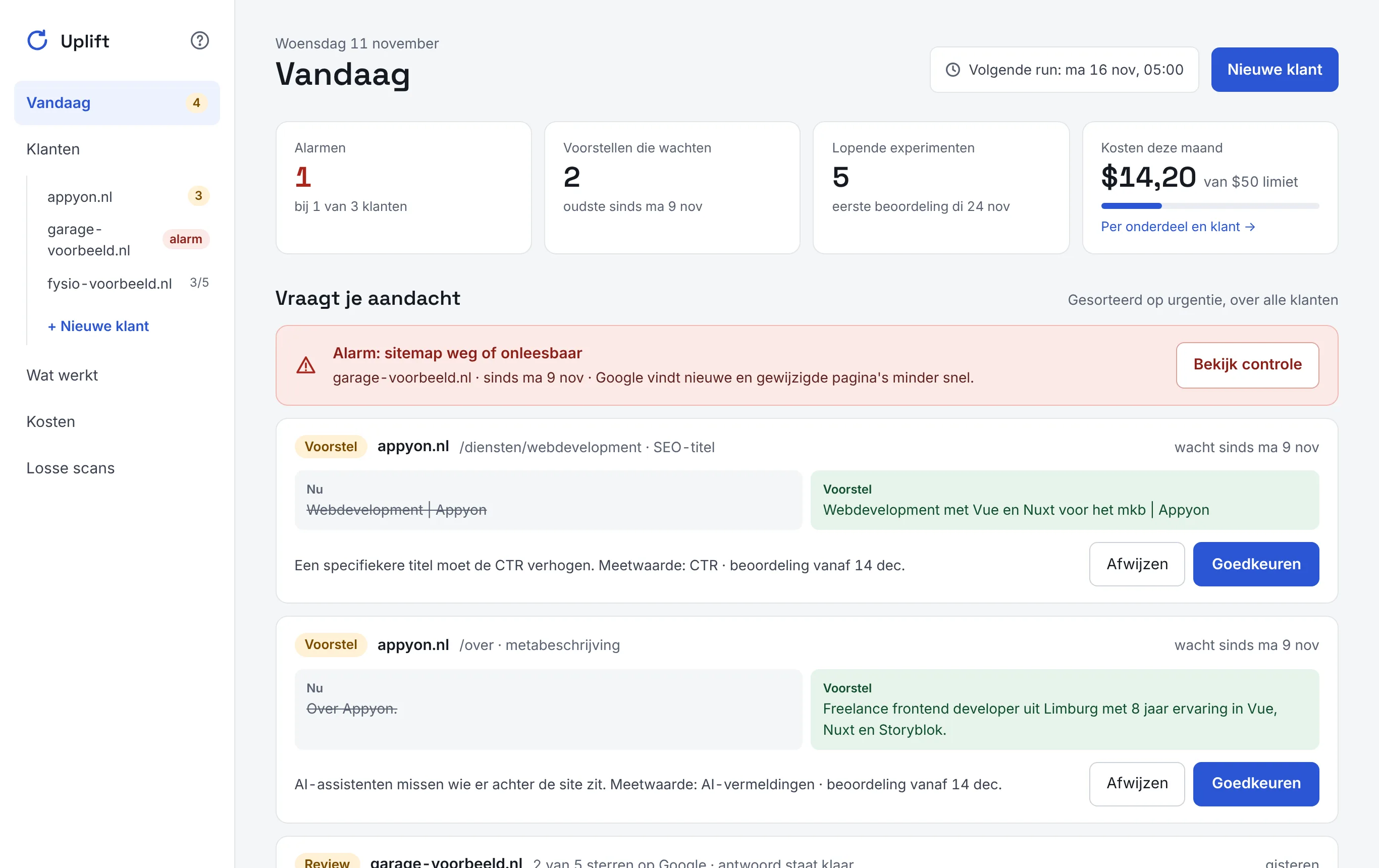
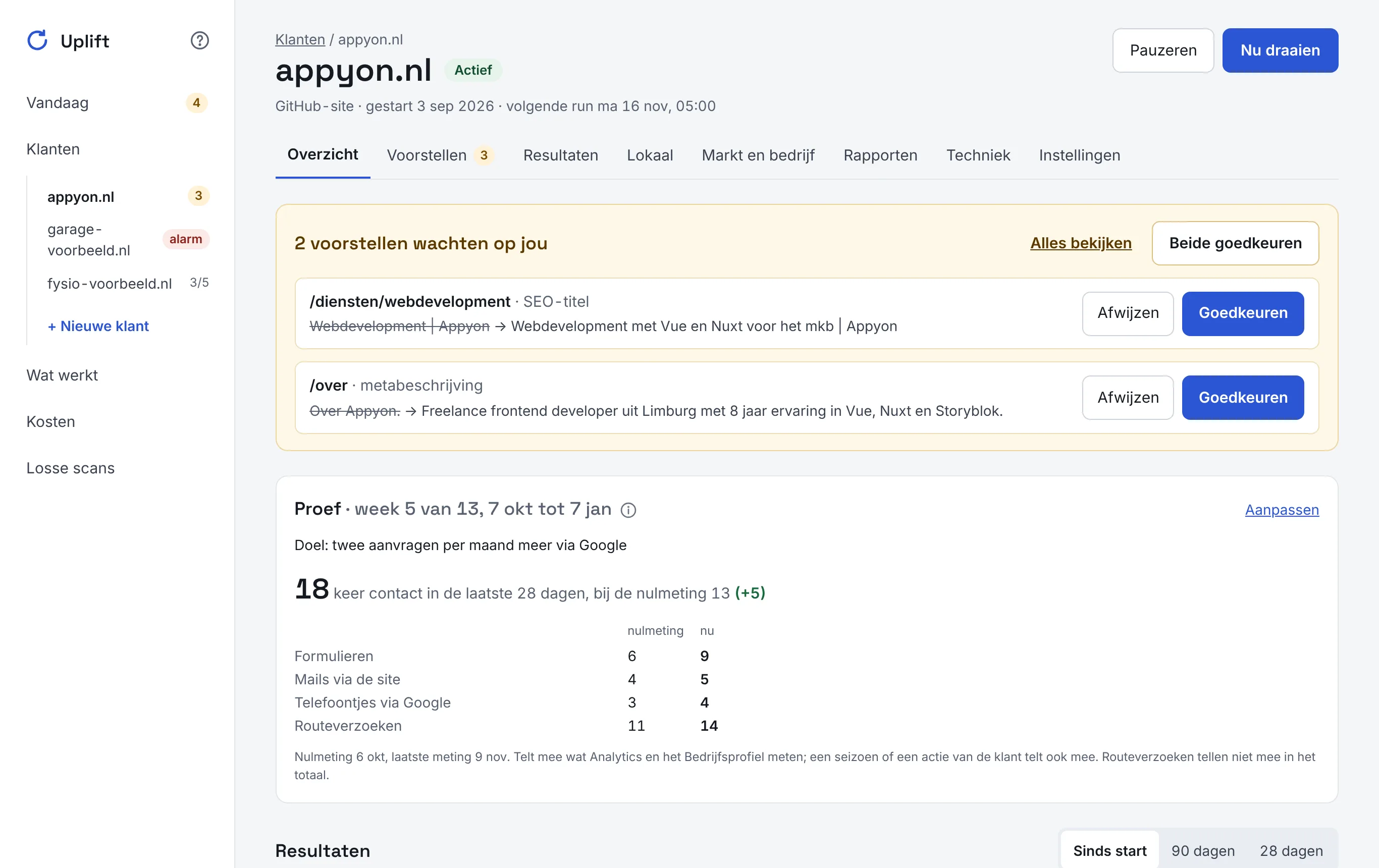
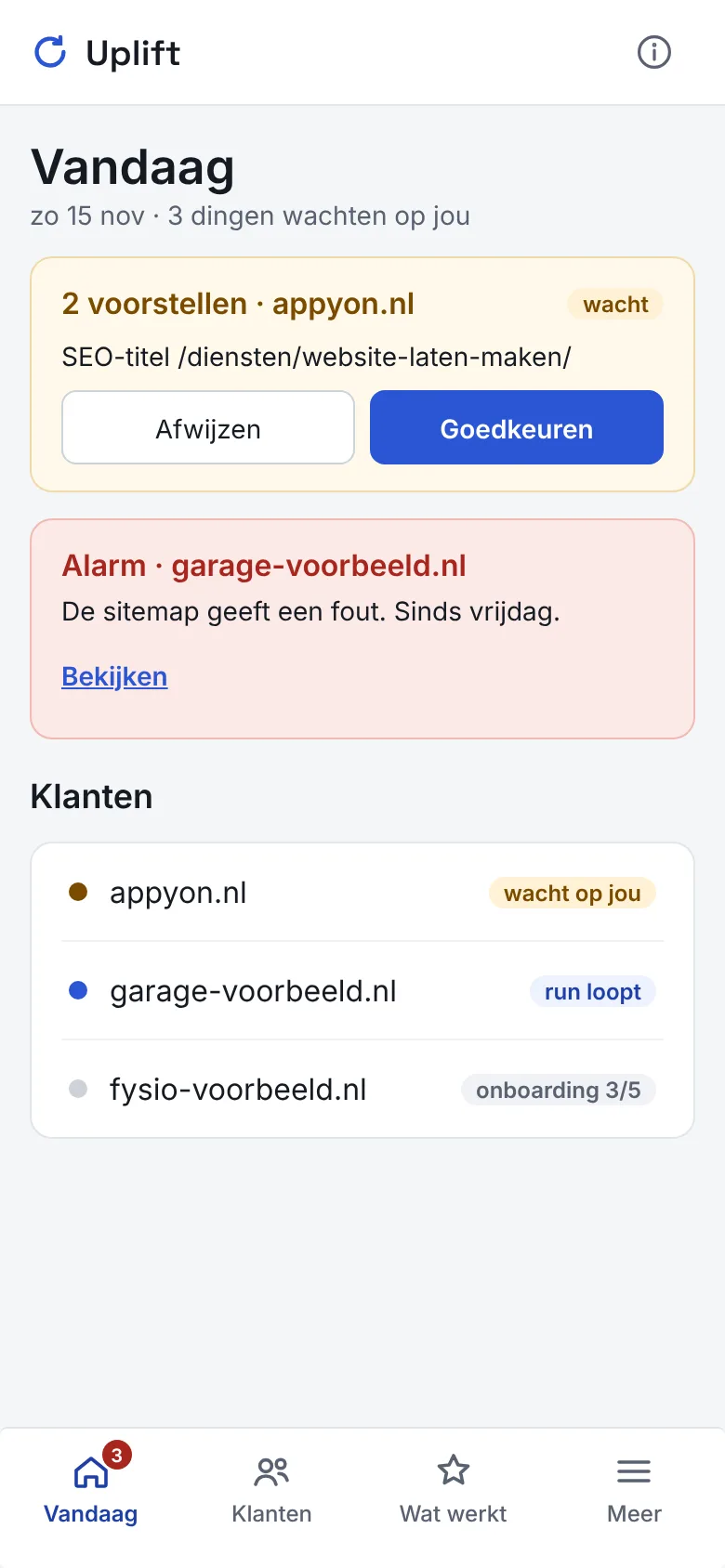
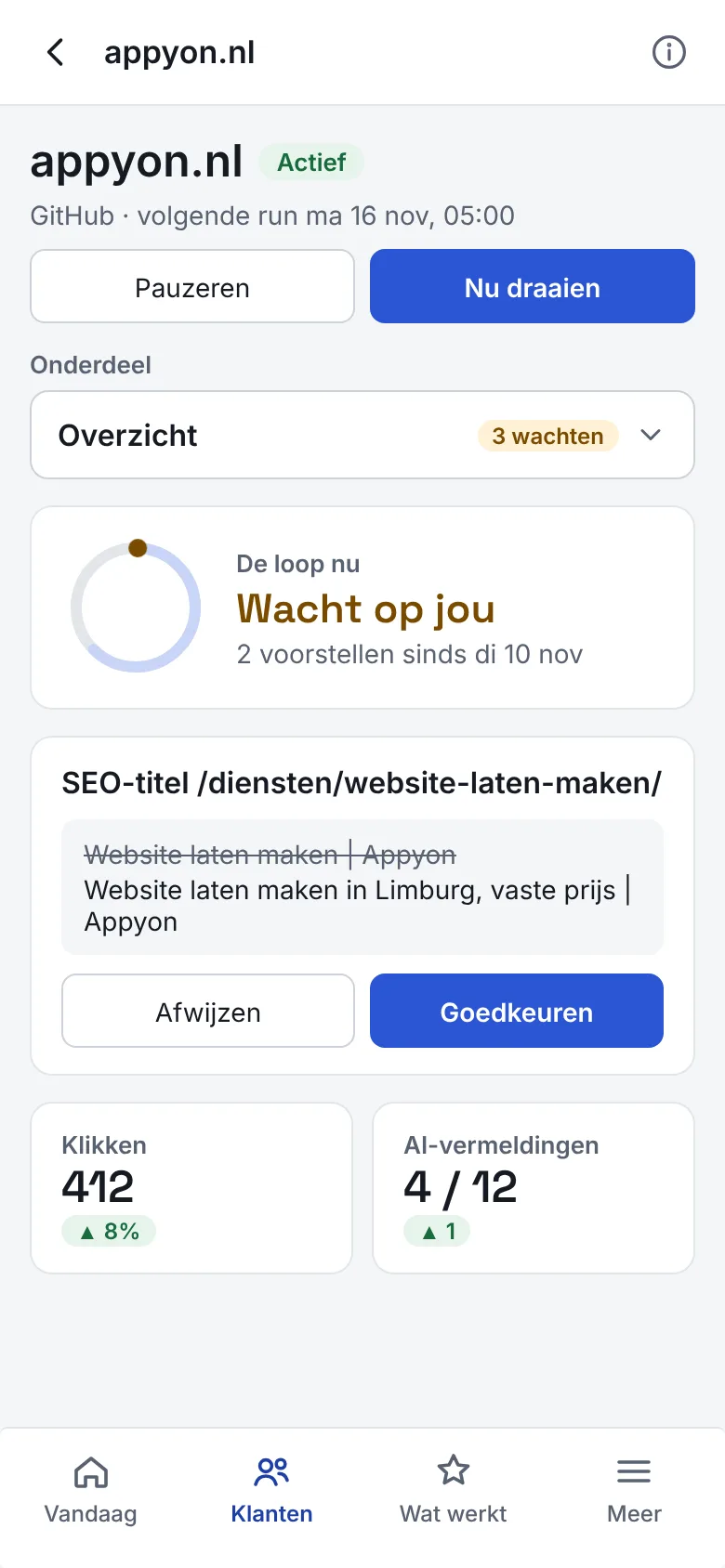
Claude then looks for chances: keywords just outside the top 10, pages that do not answer a question clearly, sites that AI cites as a source but where the business is missing. Every proposal says why, which facts from the company dossier it rests on and how it will be judged. Appyon approves or rejects it; the change then goes live through a pull request or straight in WordPress.
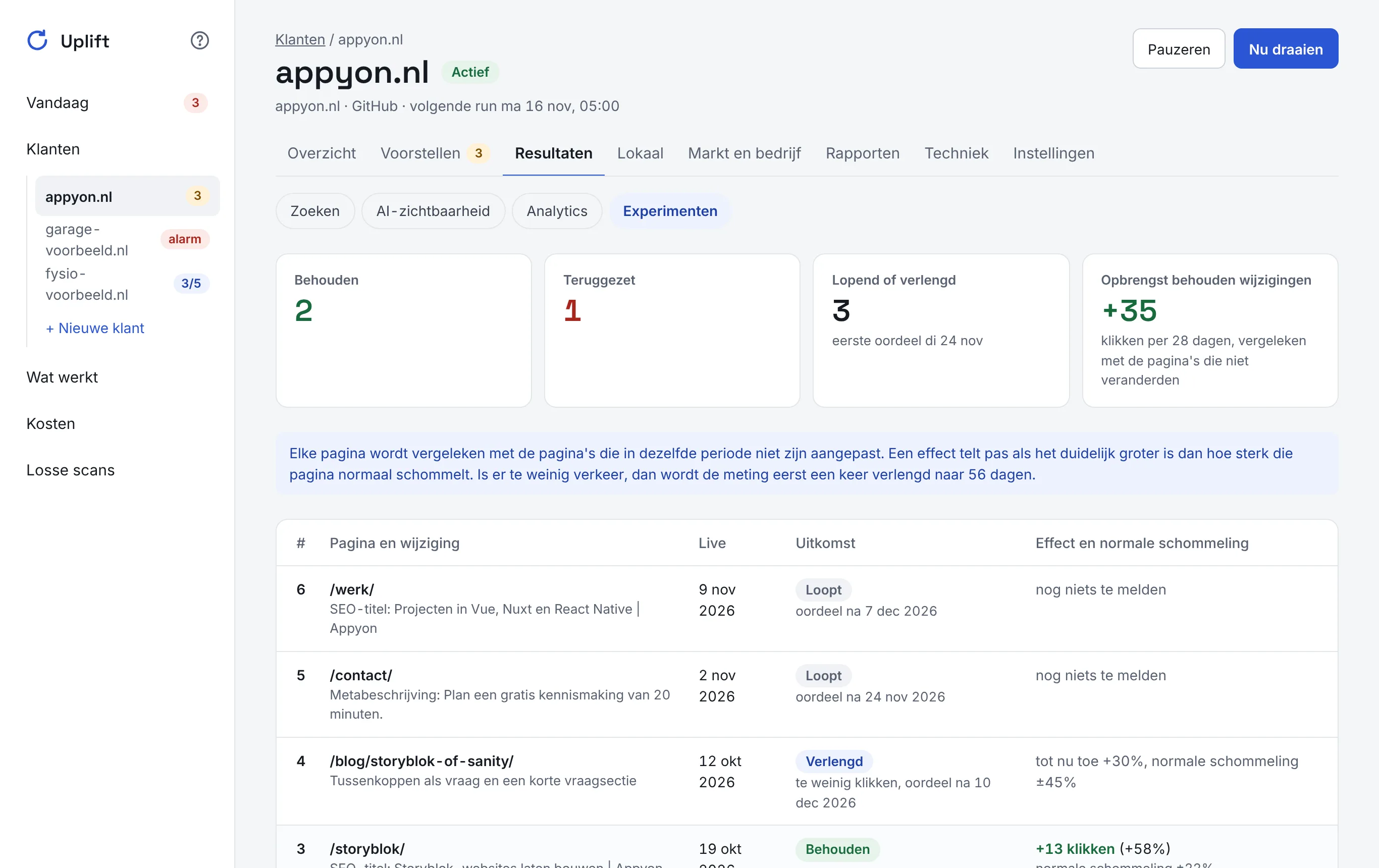
After 28 days, plus three days for Google to pick up the change, Uplift compares the page with the pages that did not change. An effect only counts when it is bigger than how much that page normally fluctuates. With too little traffic, the measurement is extended once to 56 days.
AI visibility
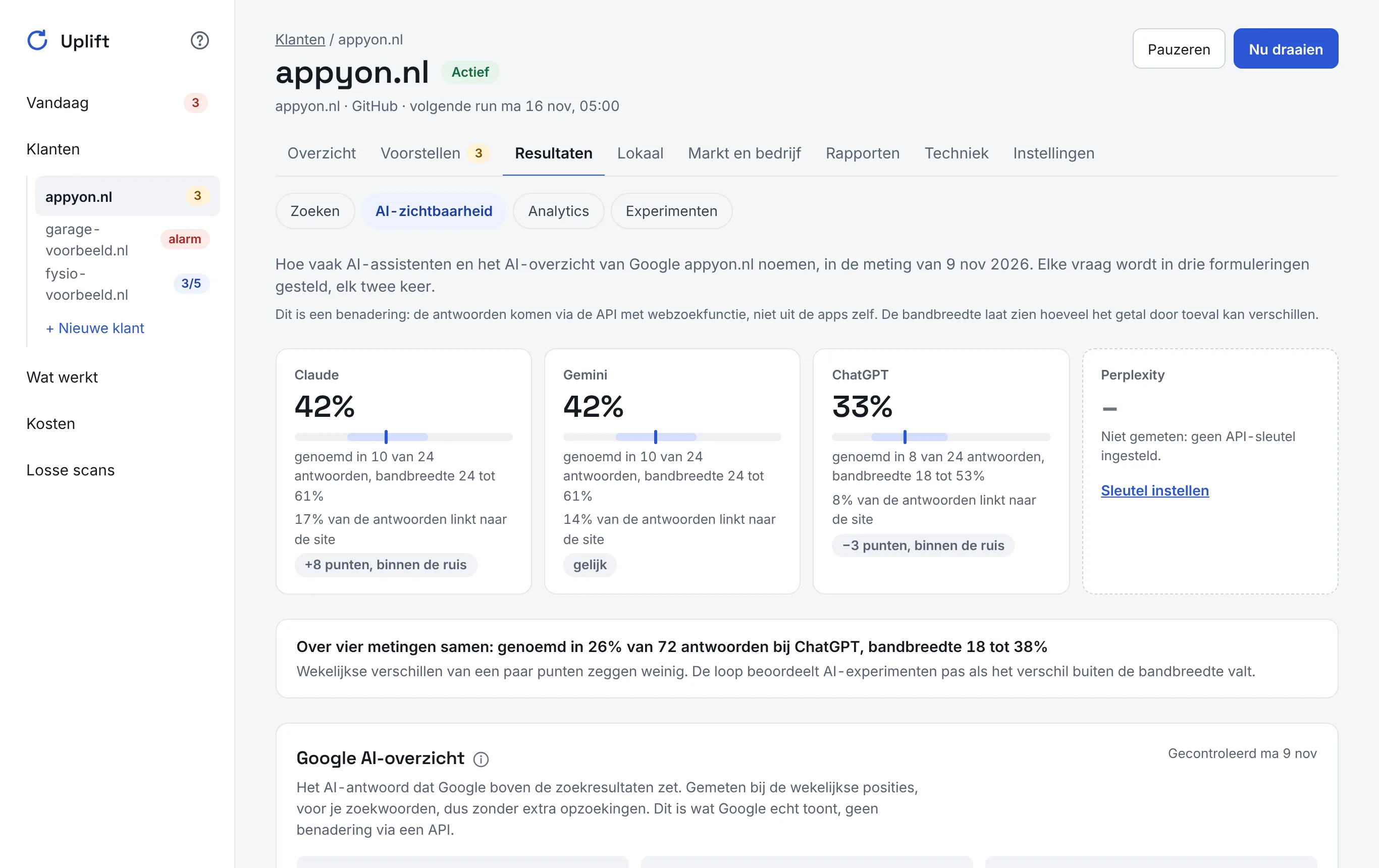
More and more customers ask an AI assistant for a recommendation. Uplift asks every question several times, also in other wordings, and shows how often the business is named, with a range. Weekly swings of a few points are not presented as gains or losses.
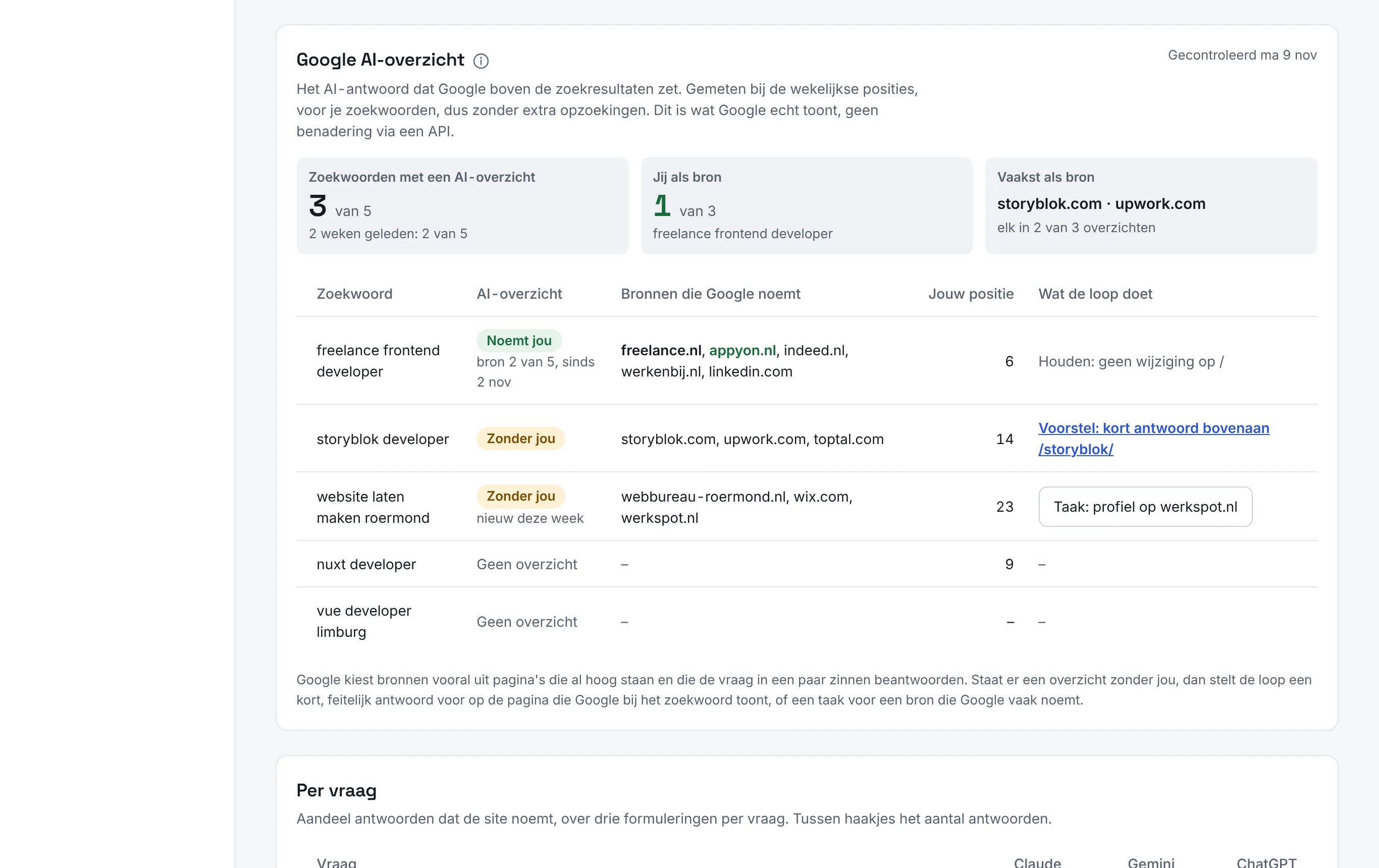
The AI overview Google puts above the results is recorded with every ranking check as well: does Google show one, and is the client cited as a source? Sites that AI often uses as a source but where the business is missing become a task, such as creating a profile on a directory or review site.
Learning across clients
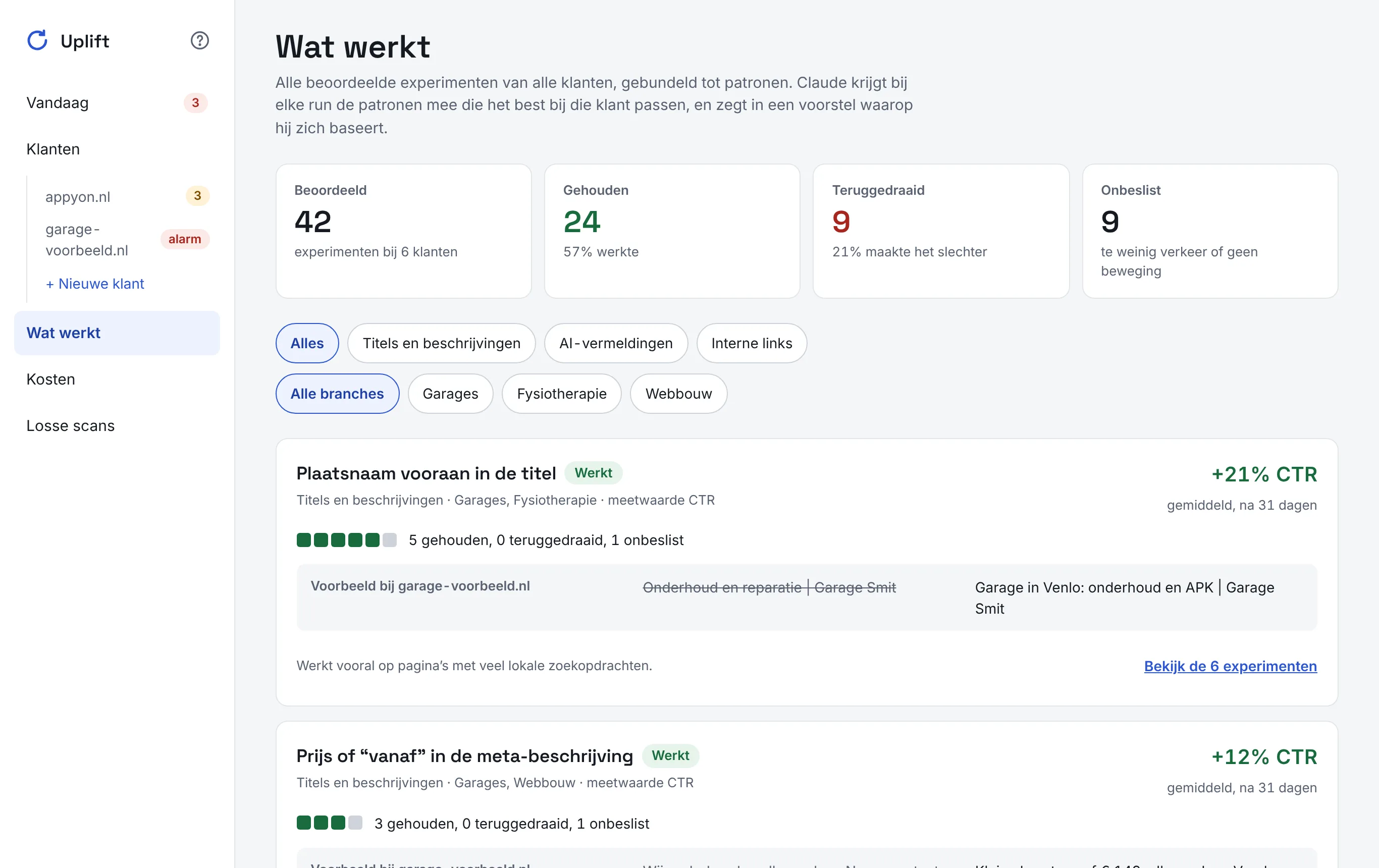
Every judged experiment gets a pattern, such as 'place name first in the title'. This builds an overview of what works and what to avoid, per type of change and per industry. In every run Claude gets the patterns that fit that client best, and says in a proposal which one it is based on.
For the client
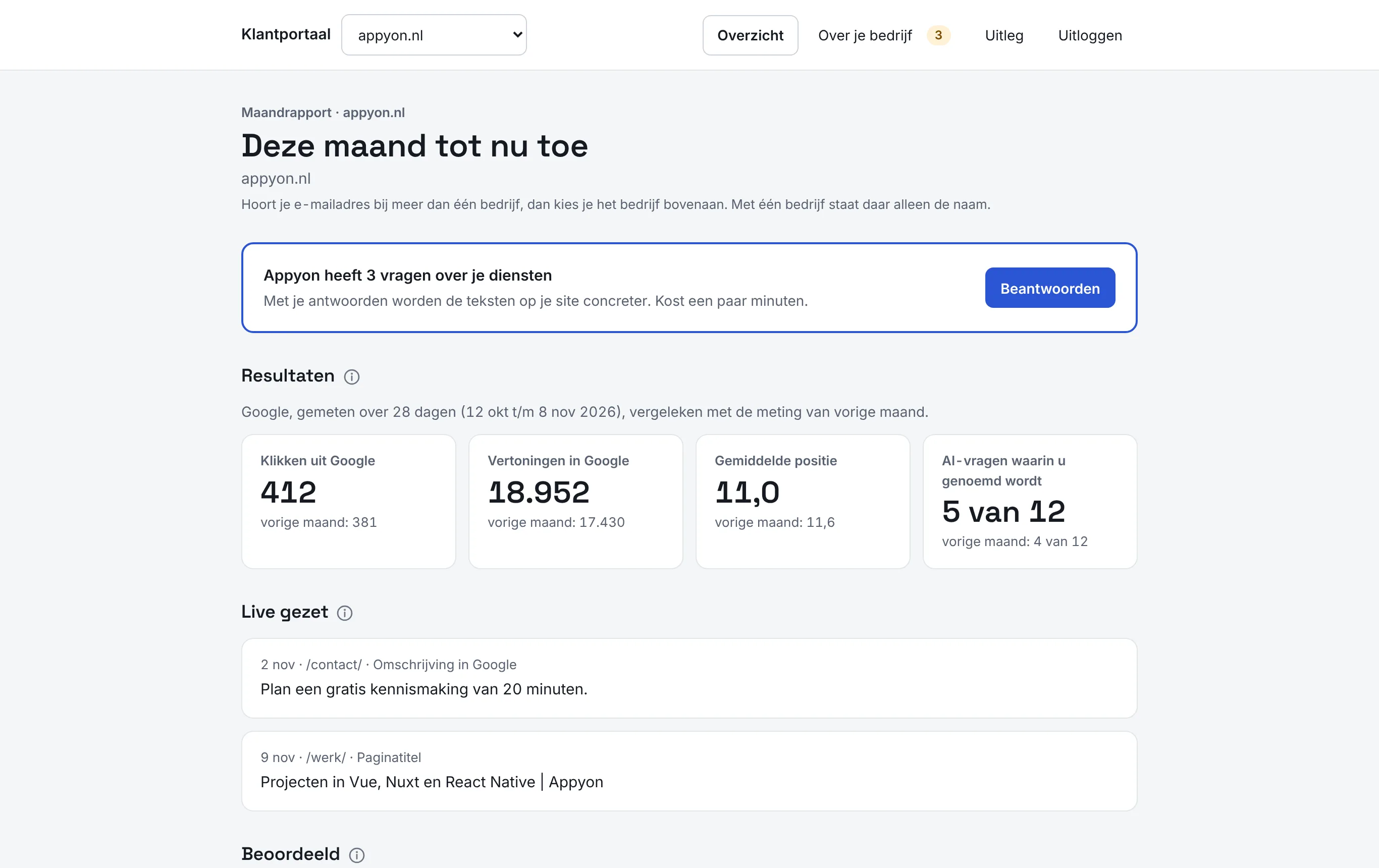
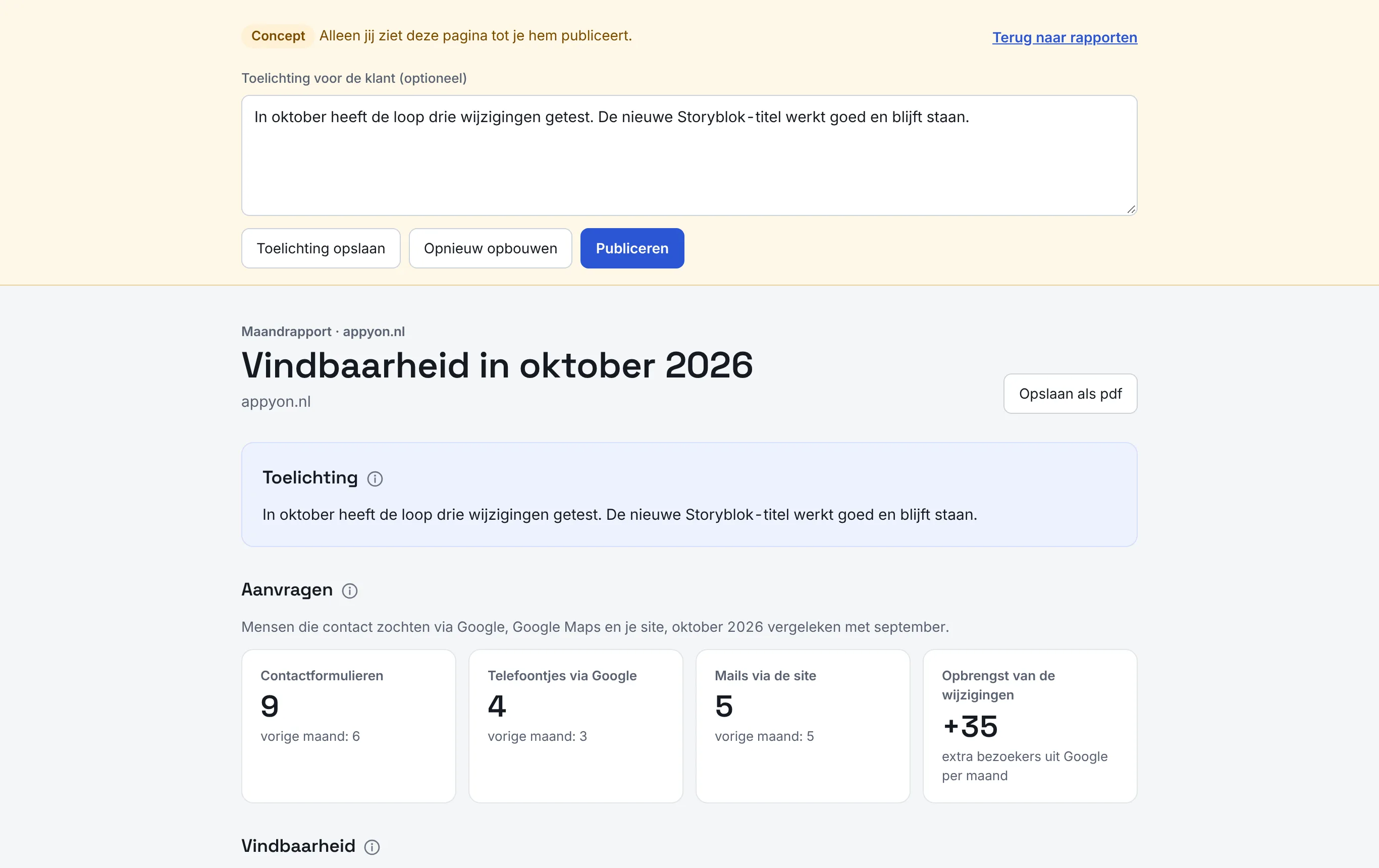
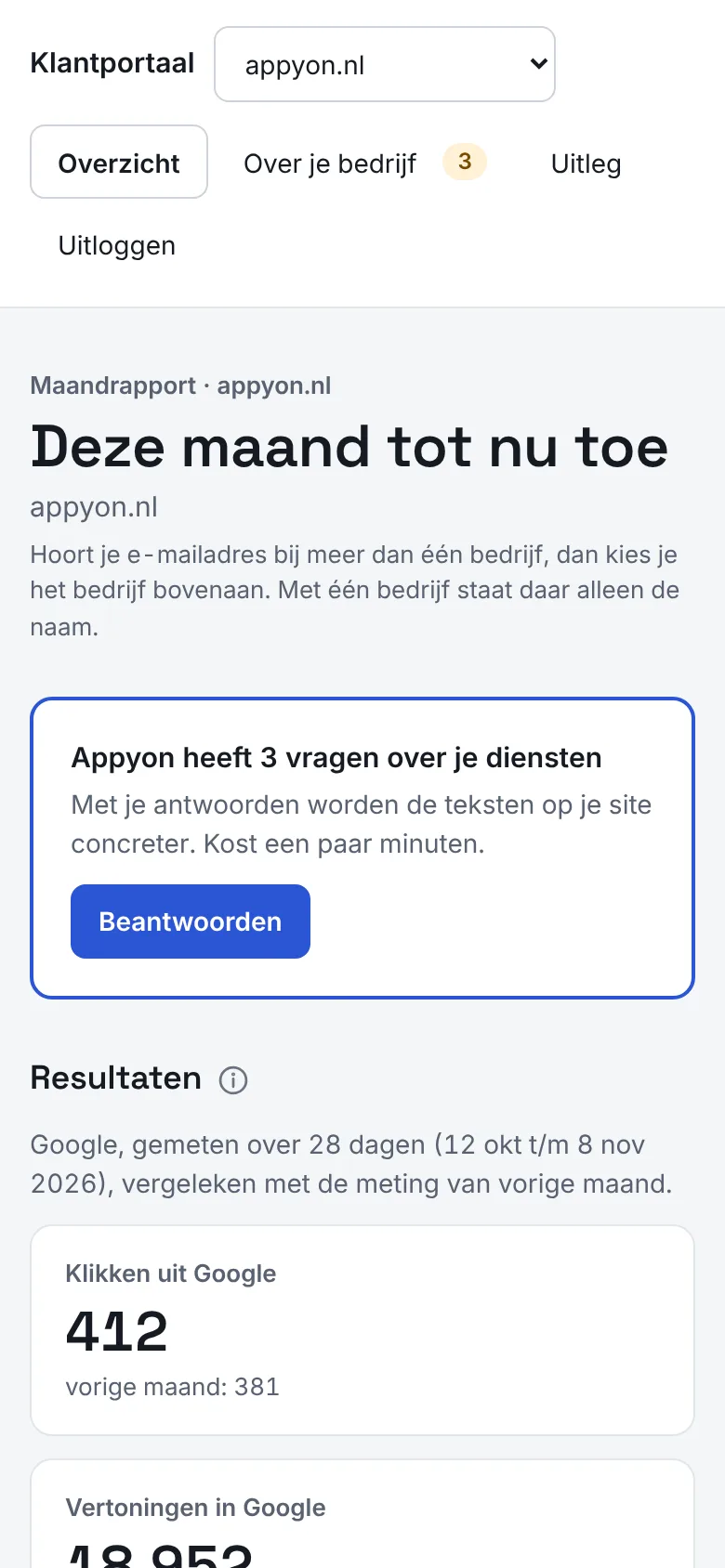
The client gets their own portal without a password: they log in with a link by email. It shows the results of the month, what went live and what it achieved. In the company dossier the client adds the facts the loop needs, such as services, prices and service area; only confirmed facts may be used in new text.
Every month Uplift drafts a report that Appyon reviews and publishes. A new client starts with a scan of the site; the client then grants access to Search Console and Analytics, Appyon sets the questions and rules, and the first run starts.
Technology
- Nuxt 4 and TypeScript, with Node's built-in SQLite as the database. One Docker image per environment on a dedicated server behind Caddy; test and production run side by side and are deployed with GitHub Actions.
- A custom engine as a separate package for measuring, proposing, shipping and judging. The dashboard uses the same engine as the command line.
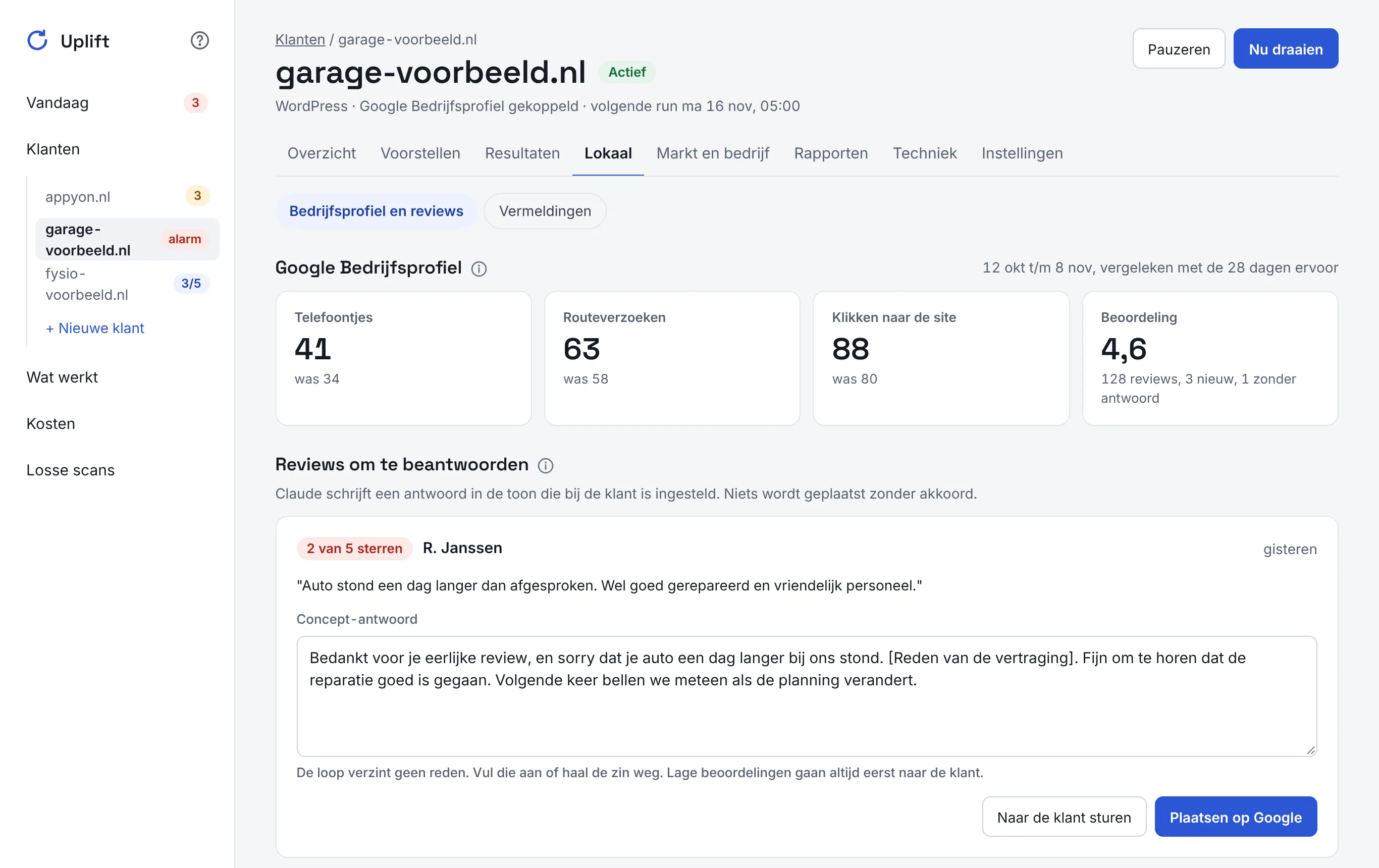
- Claude as an agent in a copy of the client's site, with rules per client and locked pages. Claude Haiku handles the small tasks, such as sorting sources, review replies and translations.
- Data: Google Search Console, Google Analytics 4, Bing Webmaster Tools, the Google Business Profile, PageSpeed and DataForSEO for search volumes, rankings, Google Maps and the AI overview. AI answers come through the APIs of Anthropic, OpenAI, Google and Perplexity, with web search.
- Honest statistics: every page against a control group, a noise band from twelve weeks of history, and a confidence interval for AI percentages.
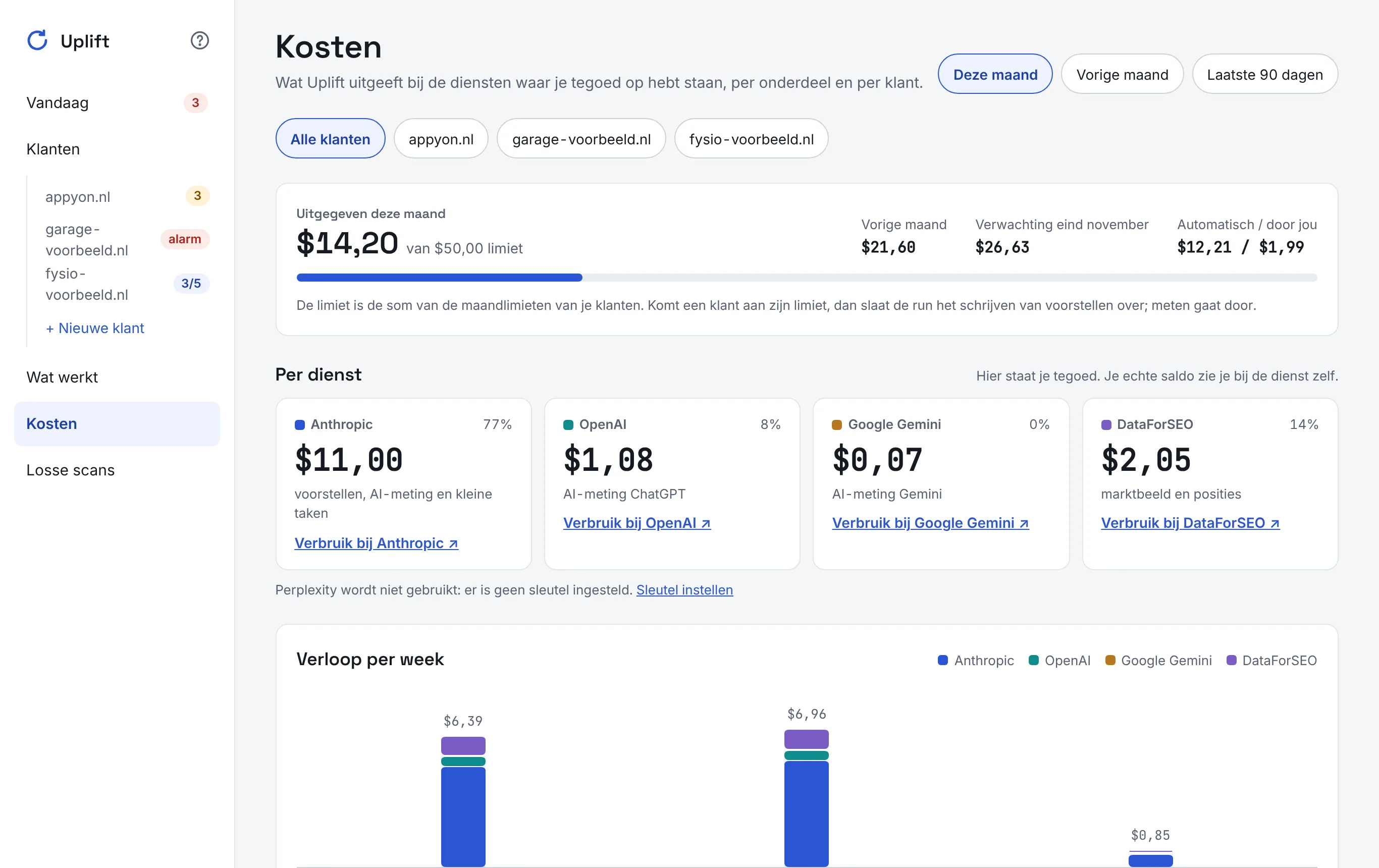
- Costs per part: what the services report and what is estimated, per service, per client and per week, with a monthly limit per client.
- Secure: the team logs in with passkeys, the client with a link by email, and access to sites is stored encrypted. 869 automated tests.
Screens
The screens show sample data. The dashboard itself is in Dutch.
More cases
Grapebook
A wine tasting journal for iPhone and iPad, with AI label scanning. Live on the App Store.
- React Native
- Supabase
- AI
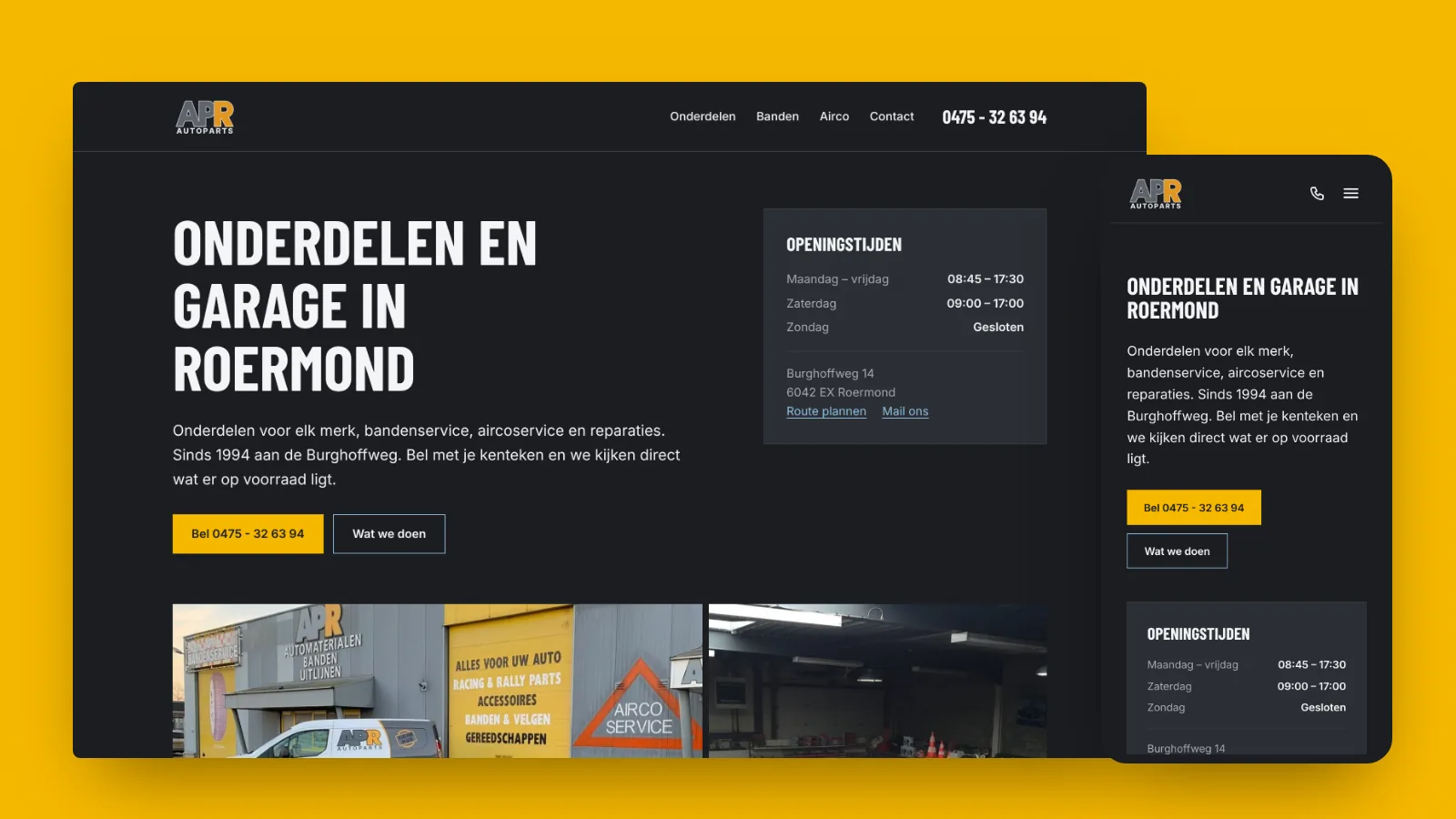
Autoparts Roermond
Informative site for a car parts shop with tyre and air-conditioning service. From WooCommerce to static Astro, with Lighthouse 100 across the board.
- Astro
- Tailwind CSS
- GitHub Actions
Curious what Appyon can do for your business?
Book a free 30-minute introductory call, online or at your place. Email or call; you usually hear back from Rick within a day.